Power outages can make your security system useless. Wired panels, keypads, cameras, and sensors need power or a home router. When the power goes out, they can stop working, fail to send alerts, or lose contact with monitoring centers.
SafeHome.org says the average American has about 1.42 power outages a year. Each outage lasts more than seven hours. This is not just a rare problem.
Outages often happen during bad weather or evacuations. These are times when crime increases and you need your security system most. If cameras stop working, you might lose important evidence for insurance claims. Devices like smoke, carbon monoxide, and flood detectors must keep working to keep you safe.
A reliable battery backup is the key solution. A 24-hour backup battery in your main panel or an external UPS, generator, or home battery system keeps power going. With the right backup power, your system can keep running and send alerts to monitoring centers.
Know how your system communicates: landline, cellular, or Wi-Fi. Landlines work even when the power is out. Cellular monitoring works if the backup battery in your panel is good. Wi-Fi monitoring fails if your router and modem lose power, unless they have backup power too.
Be proactive: find out how your system communicates, check if your panel has a backup battery, and include backup power in your emergency plan. Making sure your Home Security Systems Work During a Power Outage starts with checking these simple, critical components now.
Understanding the Importance of Battery Backup for Safety
A battery backup for safety keeps your security system running when the power goes out. It ensures alarms, life-safety sensors, and communications stay active. Without it, your home could be left vulnerable.
Experts say you need a 24-hour emergency power supply for your control panel. This covers short and long power outages. If your panel doesn’t have enough backup, important sensors might stop working at the worst time.
It’s important to know the difference between device-level and panel-level batteries. Cameras and sensors from brands like Arlo or Ring have their own batteries. But the panel has its own battery that supports the whole system. Using both types helps avoid failures.
Keeping your batteries in good shape is key. Replace them when your system alerts you and check their health regularly. A good battery backup needs timely replacements and simple care to work well.
- Keep at least 24 hours of emergency power supply for the panel.
- Use device-level batteries for individual cameras and sensors.
- Monitor battery health and replace aging units promptly.
Protecting your home from intruders is important. But keeping smoke and carbon monoxide alarms working is just as critical. A reliable backup power source ensures these life-safety devices keep protecting your home when the power is out. This gives you time to act safely.
How Battery Backup Systems Function
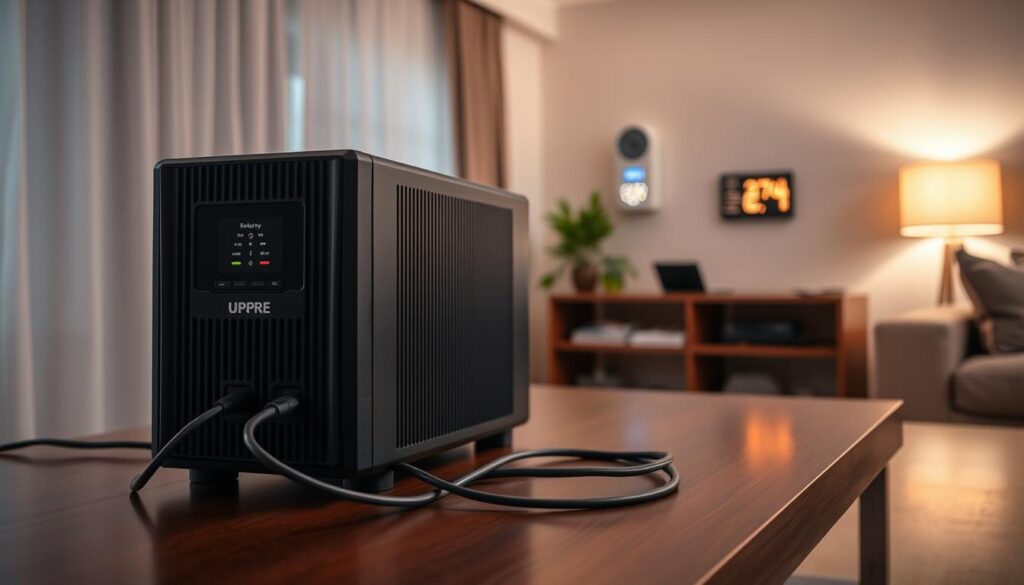
You need power for routers, modems, cameras, and the main control panel. An uninterruptible power supply (UPS) gives you instant, clean power when the grid goes down. Small UPS units, often under $50, can keep your networking gear running for hours.
Home battery systems and portable power stations offer more power. Brands like Jackery make portable stations with many ports and quiet operation. These units are a reliable backup power source and give cleaner output than many portable generators.
Whole-home battery systems store energy for longer outages. They provide steady voltage for sensitive devices. Manufacturers say these systems have modular capacity ranges and high continuous output for appliances and security loads.
Fuel generators offer long runtimes but have downsides. They need fuel, make noise, emit fumes, and require maintenance. Output can vary, which risks sensitive smart devices unless you use proper conditioning.
- Instant switching: UPS devices switch in milliseconds to preserve network and alarm systems.
- Smart transfer switches: These can automatically route power between grid and your backup power system for seamless operation.
- Portable station claims: Some manufacturers state near‑instant detection and switch for critical loads.
Check compatibility before you buy. Your backup power source must supply clean, stable voltage to avoid spikes and brownouts that damage routers, security panels, and modems. Match capacity to the combined draw of essential equipment to get reliable runtime.
Plan for automatic switching and surge protection. Pairing an uninterruptible power supply with a managed transfer switch gives you continuous operation for security systems and networking gear without user intervention.
Benefits of Battery Backup for Home Security
Your alarm system must keep signaling your monitoring center when the grid fails. With a reliable battery backup, you maintain cellular or landline links. This way, first responders get alerts without delay.
Routers and security cameras stay powered by a backup power solution. This preserves video evidence for insurance claims and remote viewing. Without backup, you risk losing footage of storm damage or a break-in.
Life-safety devices need continuous power. Smoke, carbon monoxide, flood, and freeze detectors remain active on battery power. This gives you time to act during severe weather.
Blackouts can draw opportunistic crime. A reliable battery backup reduces the chance your sensors and lights go offline during high-risk windows. This keeps your home less vulnerable.
Medical and essential devices benefit from backup power protection. CPAP machines, refrigerated medications, and other critical loads can run on modern home battery solutions or portable stations for extended periods.
Smart homes gain resilience when core devices keep working. Thermostats, smart locks, and IoT sensors continue to protect comfort and security during outages. This is thanks to consistent power outage protection.
- Maintain monitoring and alerts for uninterrupted emergency response.
- Preserve camera footage and remote access for evidence and safety.
- Keep life-safety devices functional during storms and failures.
- Reduce exposure to opportunistic crime when the grid is down.
- Protect medical equipment and other essential devices.
- Support the resilience of smart home systems and automation.
Installation Tips for Battery Backup Systems
First, list the devices you need to keep running. Focus on your security panel, router or modem, cameras, smoke and CO detectors, and any life-support equipment. This helps you choose the right backup power system and avoid sizing issues.
Choose the right backup type for your needs. A small UPS can power a router and security panel for hours. Portable power stations or whole-home batteries can handle more circuits for longer. For long outages, consider a battery backup generator but remember to plan for fuel, ventilation, and maintenance.
Use a smart transfer switch for smooth operation. A transfer switch automatically moves chosen circuits to a backup power source. Hire a licensed electrician to ensure it’s installed correctly and meets safety codes.
Place batteries and UPS units in dry, ventilated rooms. Keep them away from direct heat and sunlight. Make sure there’s enough space for airflow and access for easy maintenance.
- Check if your security system uses cellular monitoring. Ensure the panel’s backup battery supports that function.
- If you rely on Wi-Fi, put your router and modem on the same backup power source as the security panel.
Follow the manufacturer’s instructions and local codes. Install according to product guidance and NEC rules for wiring and grounding. Hardwiring, transfer switch hookups, and generator connections should be done by a licensed electrician to meet safety and inspection requirements.
Run a simple test after installation. Confirm that selected circuits switch to the backup power system, check runtime estimates, and validate that alarms and cameras remain online. Keep a written map of prioritized circuits and maintenance dates for batteries and the battery backup generator.
Testing Your Battery Backup System
Make sure to test your emergency power supply often. This ensures it works when you need it most. Try a controlled power loss to see if your security panel, cellular alarm path, and cameras keep running.
Check the UPS self-test and diagnostics to see how your battery is doing. Simulate a normal load to see how long it lasts. Then, compare this to the expected runtime for a reliable backup.
- Run quarterly UPS tests and record runtimes.
- Perform annual generator checks and fuel inspections.
- Cycle portable power stations to keep cells conditioned.
Keep an eye on your battery’s age. Both lead-acid and lithium batteries lose power over time. They will alert you when their performance drops. Replace them quickly to keep your backup power system reliable.
Make sure your automatic transfer switch works right. Test it to see if it smoothly switches to emergency power. Also, check that all important circuits stay powered during the switch.
Write down every test result: date, runtime, any failures, and what you did to fix them. Keep a detailed maintenance schedule. This helps you remember when to check your UPS units, portable stations, and generators.
Regular testing proves your home security can count on a reliable emergency power supply. It ensures your backup power system works well when you need it most.
Integrating Battery Backup with Other Systems
Work with your monitoring provider, like Brinks Home, ADT, or Vivint. Find out how their panel uses backup batteries. Also, check if cellular failover is part of your plan.
Put networking gear like routers, modems, and switches on an uninterruptible power supply. This keeps Wi-Fi and camera streams online during power outages. Even cheap UPS units can power these for hours, keeping alarms connected.
Choose battery-powered cameras and sensors for areas with unreliable power. Brands like Ring and Arlo have devices with rechargeable batteries. They act as a backup power source for important coverage.
- Link smart thermostats and HVAC controls to backup power. This keeps temperatures safe during extreme weather.
- Use panel backup batteries with UPS for networking. Add a portable power station or generator for long outages. This builds strong resilience.
- Install certified transfer switches by licensed electricians. Follow manufacturer guidelines to protect your equipment.
Think of a complete plan. Pair a panel battery with a UPS and a portable generator. This gives you quick power, network uptime, and long backup for big events.
Do tests with your alarm company after setup. Make sure the UPS and panel battery work together. Regular checks help find weak batteries and ensure your backup works when needed.
Preparing for Possible Emergency Scenarios
Make a detailed plan for when the power goes out. List what’s most important first. This includes safety devices, ways to communicate, keeping food cold, and medical needs.
Remember how long each item needs power. Also, know what to do if your backup power runs out.
Have all the important stuff ready. Make sure you have extra batteries for flashlights and radios. Also, have portable chargers for phones and fuel for generators.
Get a spare UPS or portable battery if you can. This will help in emergencies.
Teach your family how to use backup equipment. Show them where it is and how to start it safely. Practice using backup circuits if needed.
Teach them to keep alarms quiet but working. This is important for safety.
Plan for when only some things lose power. Know which circuits are for alarms, doors, and medical stuff. Use extra ways to communicate like cell phones and Wi-Fi.
- Write down important phone numbers for your monitoring service. Make sure they can get signals when there’s no power.
- Set up a plan with your neighbors. Share resources and check on each other during long outages.
Keep important things like food and medicine from spoiling. Make sure refrigerators for medicines stay powered. Think about using special generator circuits or a portable power station for them.
Do regular drills and update your plan after each one. Keep records of generator upkeep, fuel, and battery health. This will help keep your power backup working when you need it most.
Monitoring Your Backup Power Supply
Use built-in diagnostics and enable remote alerts on your security panel and UPS. Many units from APC and Eaton show battery health and send notifications when charge drops or a replacement is due. Turn on push notifications or email alerts so you see problems fast.
Track runtime and capacity metrics during regular tests. Run a controlled outage to measure how long your backup power system sustains critical loads. Compare actual runtime to the manufacturer’s specs to spot capacity loss early.
Integrate smart monitoring for whole-home batteries and portable stations. Products like Jackery and Tesla Powerwall include apps that report state of charge, output and estimated runtime. Use those readouts to plan recharging and manage loads when your emergency power supply engages.
Set a maintenance calendar for battery checks and replacements. Mark intervals for UPS battery swaps, lead‑acid service, or lithium replacement. Keep spare batteries or a replacement plan for devices that protect alarms, routers and cameras.
- Keep firmware current on security panels, routers and UPS firmware.
- Renew any cellular or monitoring subscriptions that support communications during outages.
- Confirm that your alarm company’s monitoring center receives test signals during simulated outages.
Periodically confirm cellular failover and remote status reports. Simulate an outage while watching alerts to verify that your monitoring your backup power supply setup and alarm communications work under real conditions.
Regulatory Considerations
When adding a backup power system, follow local and national rules. Installations with transfer switches, whole-home batteries, or generator interlocks need to meet the National Electrical Code (NEC) and local permits. Always use a licensed electrician for hardwired work to ensure it passes inspection and is safe.
Choose equipment certified to standards like UL or CSA to protect your electronics and ensure reliability. Read device labels and manuals to make sure your battery backup works with your home security system and meets performance standards.
Before relying on a monitoring provider’s failover features, check their policies. Companies like ADT, Brinks Home, and Vivint may offer cellular backup or need specific setups. Look at contract terms, subscription fees, and how failover works during an outage.
Think about liability, insurance, and environmental rules too. Inform your insurer if you install a generator or large battery system, as coverage might change. Follow local laws on fuel storage, emissions, and noise. Also, review guidelines for medical equipment if your backup system supports life-saving devices.