Protecting a loved one who may wander is a big concern. Wandering and elopement are common in people with Alzheimer’s and other dementias. They can lead to serious injury or worse.
Geofencing for seniors sets up a virtual boundary around a home or neighborhood. If a GPS-enabled device goes beyond this area, caregivers get an alert right away. This simple step is key to keeping seniors safe.
Using geofence technology with AI and GPS creates a strong safety net. AI can spot risky behavior early, and geofencing alerts caregivers when someone leaves a safe area.
Geofencing offers many benefits for seniors. It helps caregivers respond quickly, reduces stress, and lets seniors stay independent. Modern devices are small, water-resistant, and reliable.
This article will explain how senior safety geofencing works. We’ll cover how to set it up and balance protection with privacy and dignity.
What is Geofencing and How Does it Work?
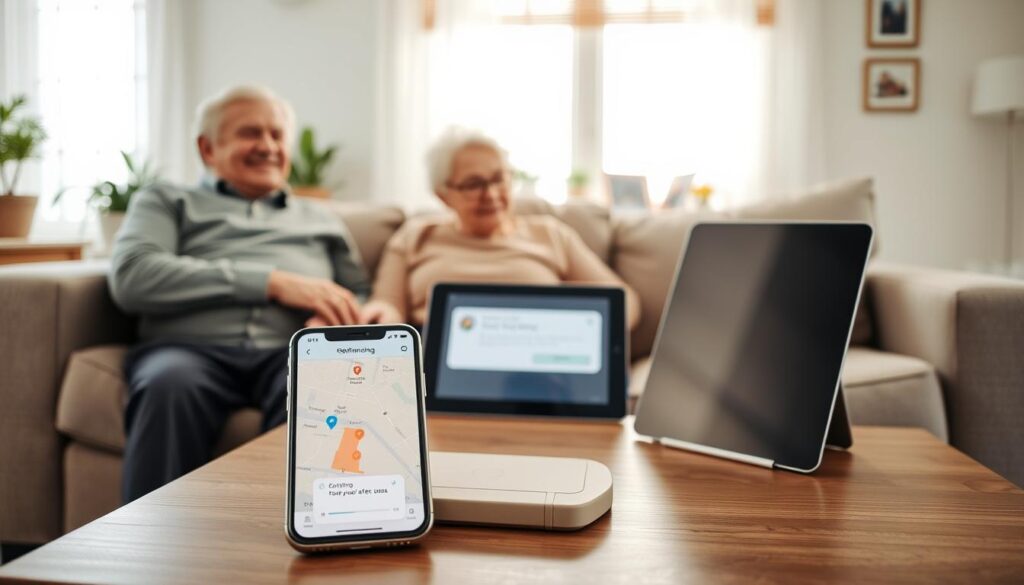
Geofencing is like setting a virtual fence around a special place. You draw the area on an app and set rules. Then, the system watches for anyone going in or out.
For seniors, it’s about keeping them safe from wandering off. Many systems use GPS for tracking outside. GPS sends updates from satellites, alerting you if someone leaves the set area.
For indoor tracking, different tools are used. Bluetooth beacons, Wi-Fi, or sensors in buildings help where GPS is weak. This is key for seniors in assisted living.
- You create the fence on a smartphone map.
- The wearable checks its location against that fence regularly.
- The network sends alerts if the device crosses the boundary or loses power.
Devices often use cellular networks or a paired app on your phone. They have long-life batteries and warn of low charge or disconnections. This makes them reliable for outdoor use, even without Wi-Fi at home.
Geofencing works in many places: home, assisted living, neighborhoods, parks, and travel routes. Its flexibility makes it a useful tool for families and caregivers.
Benefits of Geofencing for Seniors

Geofencing makes seniors safer by sending alerts when they leave a set area. This quick alert helps them return safely and reduces harm. It’s a big step in keeping them safe.
It also lets seniors stay independent while being watched. They can go for walks or visit friends. This way, they keep their dignity and can move around freely.
Using geofencing means less stress for caregivers. It automates monitoring, so you only get alerts when needed. This lets you spend quality time with your senior, not just watching them all the time.
Advanced systems use AI to detect changes in behavior. They can spot unusual activity and send warnings. This helps prevent seniors from wandering off before it’s too late.
These systems also track movement and behavior. They can show changes in health, like infections or anxiety. This helps doctors and caregivers make better plans for care.
Geofences can be adjusted for any situation. You can change them for home, travel, or outings. This makes it easy to keep seniors safe in all parts of their life.
- Immediate safety alerts that shorten response time
- Greater independence for seniors while maintaining oversight
- Reduced caregiver burden through automated monitoring
- AI-driven pre-alerts to prevent elopement
- Behavioral data that informs better care
- Flexible geofence settings for various environments
Setting Up Geofencing for Your Loved One
First, choose a wearable that meets your needs. It should track location well, have a secure strap, and be water-resistant. It should also last for days, have cellular connectivity, and alert you when it’s low on battery or loses signal. A good device is comfortable and doesn’t give false alarms.
Next, pick an app or system that’s easy to use. The best apps for elderly care let you set boundaries on a map. You can add caregivers and send notifications by push, SMS, or call. It’s important for it to be simple to use from your phone.
Set up your geofence boundaries in the app and test them. You can create small zones for rooms or larger ones for parks. Testing ensures the device works as expected, both indoors and outdoors.
- Set alert preferences: immediate crossing alerts, prealerts from AI behavior detection if available, and periodic check-ins.
- Enable low-battery and signal-loss notifications so you know when the device needs attention.
- Assign backup contacts and make sure alerts reach everyone designated to respond.
Do realistic tests: simulate boundary crossings and check notifications. Make sure the wearable is comfortable and secure during daily activities.
Plan for when GPS is weak. Many devices switch to cellular or Wi-Fi positioning. Keep a spare charged, monitor battery levels, and have a plan for caregivers if the device loses signal.
After it works well, schedule regular reviews. Update geofence shapes as routines change and review alert settings with caregivers. Regular checks keep your device accurate and useful.
Customizing Safe Zones for Seniors
Start by mapping out your senior’s daily routines when setting up geofencing. Mark the house, favorite walking trails, community courtyards, and often-visited places.
Adjust the size of each zone based on how far they might wander and your comfort level. Small areas for gardens and wider zones for neighborhood walks are good.
- Use layered zones to reduce false alarms. An inner safe ring can allow brief deviations.
- Create an outer alert ring that triggers notifications only when a larger boundary is crossed.
Time-based rules make geofencing for seniors more practical. Expand zones during the day and tighten them at night.
Turn alerts on only during vulnerable times, such as sleeping hours or when medication is due.
- Apply multiple geofences for home, day programs, and parks.
- Set temporary exceptions for planned outings or appointments to avoid unnecessary alerts.
For multi-story homes or assisted living, combine indoor positioning with GPS. Use Bluetooth beacons, Wi‑Fi, or integrated camera systems where GPS is weak.
Location-based services for seniors work best when you review settings often. Routines shift, seasons change, and moves happen.
Regularly update zones to reflect new routes, different residences, or changed activity levels. This keeps alerts relevant and reduces alarm fatigue.
Types of Alerts and Notifications
When a loved one leaves a safe area, you need fast, clear alerts. Crossing alerts are the most direct. They send push notifications, SMS, or calls when a device goes in or out of a boundary. These alerts are the first warning for when someone might wander off.
Pre-alerts use AI to spot risks before they happen. If an app sees unusual behavior, like pacing near exits, it sends early warnings. This helps you act quickly to prevent elopement.
Live location updates let you see where a senior is at any time. Instead of waiting for an alert, you can ask for their location. This feature works well with alerts to reduce worry.
Device status alerts keep you informed about the device’s health. Low-battery warnings, signal loss alerts, and tamper notices ensure constant protection. You know about any issues before they cause problems.
Tiered notifications have clear steps for alerts. You can set it to alert primary caregivers first, then others if needed. This ensures a quick response when it’s most important.
Logs and reports help you learn from past events. They let you review past wanderings and spot changes. These records help in planning care and understanding each alert.
- Crossing alerts: immediate push, SMS, or calls for boundary exits or entries.
- Pre-alerts via AI: predictive warnings based on behavior trends.
- Live tracking: on-demand location checks within the app.
- Device status: battery, signal, and tamper notifications.
- Tiered notifications: configurable escalation to ensure acknowledgment.
- Logs and reports: stored histories for review and care planning.
When choosing geofencing apps for seniors, look at how they handle different alerts. You want a system that balances fast alerts, predictive intelligence, and reliable device status. This ensures safe and informed care.
Addressing Privacy Concerns
It’s natural to wonder how geofencing works and what data it collects. Privacy geofencing for seniors tracks location and movement, not constant video or audio. It aims for safety, not to spy on people.
Always get consent from the senior first. Tell them what data is collected, who sees it, how long it’s kept, and why it’s important. Written consent from the resident or legal guardian helps reduce privacy worries and builds trust.
Choose vendors that keep data safe with strong encryption. Look for secure app login and clear privacy policies. If health info or facility systems use the geofence, make sure they follow HIPAA to protect sensitive data.
Share data only when necessary. Set up alerts so only approved caregivers get them. Use access controls so staff, family, and emergency responders see only what they need. This way, you reduce privacy concerns and keep things private.
- Document consent and retention rules for each resident.
- Restrict live location access to authorized roles.
- Review vendor security measures regularly.
When using location-based services for seniors, create clear policies. These should cover usage, data retention, how to handle incidents, and talking to families. Having clear rules helps protect dignity while keeping seniors safe.
Always talk openly with family, legal guardians, and care staff. Being open, collecting only necessary data, and using strong security can address privacy concerns. This makes location-based services for seniors a respectful way to care for them.
Overcoming Common Challenges
Signal gaps can be a problem when GPS geofencing for seniors doesn’t work indoors or in crowded areas. You can use Bluetooth beacons, Wi‑Fi, or indoor sensors to cover these gaps. Also, cameras with AI can spot exits indoors, not just outdoors.
False alarms can make you lose trust in a system. To avoid this, adjust the fence size, use different zones, and set time rules. AI can also help by sending alerts only for serious issues, not just random wandering.
Some seniors might not want to wear devices or might take them off. Choose devices that are comfortable and have secure straps. Explain why they need to wear it and have a plan for when it’s removed.
Battery life and staying connected are key. Choose devices that last a few days and warn you when the battery is low. Make sure they can switch to cellular or Wi‑Fi when GPS is weak.
Not everyone is tech-savvy. Look for easy-to-use apps from brands like Apple and Samsung. Offer short training sessions for family or staff. Make sure everyone knows what to do when an alert comes in.
Costs and how well it fits into your system matter too. Compare prices and see if it works with your current setup. Think about how much time and stress it saves for caregivers when deciding if it’s worth it.
- Improve indoor coverage: Bluetooth beacons, Wi‑Fi, indoor sensors.
- Reduce false positives: layered zones, time rules, AI prealerts.
- Prevent removal: comfortable wearables, lockable straps, removal alerts.
- Ensure uptime: multi‑day battery, low‑battery alerts, fallback comms.
- Raise tech confidence: simple apps, brief trainings, clear protocols.
- Balance costs and value: integration options and ROI considerations.
Integrating Geofencing with Other Technologies
You can link geofencing with AI for better alerts. AI cameras and behavior analytics watch for signs like pacing. This info, combined with geofence alerts, warns caregivers early.
Wearables add more context. GPS watches track heart rate and detect falls. When paired with geofence alerts, they help decide if someone is okay or needs help.
Security systems work better with geofencing. Electronic locks and alarms can get alerts. This helps staff respond quickly and effectively.
Mobile apps make sharing easier. Geofencing apps for the elderly let teams see locations and adjust settings. They can also alert others or emergency services if needed.
- AI and predictive analytics: prealerts based on behavior patterns.
- Wearables: combine health metrics with location for smarter triage.
- Facility systems: link alarms and locks to geofence events.
- Caregiver apps: shared notifications and escalation workflows.
Smart homes and IoT add comfort and safety. Smart locks and lights can adjust automatically. Sensors can also reduce false alarms.
When planning, focus on working well together, privacy, and clear alerts. Choose systems that support AI, senior care, and elderly apps. This way, you get a system that’s flexible and ready for the future.
Case Studies: Real-Life Experiences
Geofencing for seniors has shown great results when used with everyday care. Dementia care communities have seen a drop in full elopement events. This is because staff get alerts and can track someone’s location in real-time if they move towards an exit.
Families using GPS geofencing for seniors often report faster reunions after a wander. A GPS watch sends alerts right away. This helps caregivers find a loved one quickly and feel safe about supervised outdoor time.
Wearable devices are key. Modern trackers have lockable straps and last for days on a single charge. They work both indoors and outdoors, even during power outages.
Real-life examples show how geofencing helps seniors every day. You might set a geofence around a neighborhood for safe walks. In care homes, AI alerts help staff gently guide residents away from doors before they try to leave.
- Test systems in real conditions to confirm accuracy.
- Tailor geofence sizes to the person’s routine and mobility.
- Train caregivers on clear response protocols for alerts.
- Choose devices with long battery life and low false alarms.
These examples teach us about using geofencing for seniors. The right setup and reliable devices are key. They help avoid false alerts and provide calm, useful notifications.
Future Trends in Geofencing for Seniors
AI will change geofencing for seniors a lot. It will use machine learning to predict when someone might wander off. This is based on their walking patterns, when they’re active, and where they go.
Geofencing will work better indoors soon. New tech like Bluetooth LE beacons and ultra-wideband will track people in homes and assisted living places. This means fewer false alerts.
Wearables will connect health data with location services for seniors. If a fall detector or an irregular heart rate happens near a boundary, systems will act fast. They’ll send help based on the situation.
Geofences will make homes smarter. They can turn lights on, unlock doors, and send alerts to staff. This helps keep seniors safe without waiting for someone to act.
Companies will focus more on privacy. You’ll see stronger encryption and clearer ways to give consent. This ensures seniors’ dignity while caregivers get useful data.
More people will use geofencing as devices get cheaper and easier to use. Families, home care agencies, and senior living places will see it as a must-have. It helps seniors live safely and independently.
When looking for a system, find one that uses AI, indoor tracking, health data, and privacy. This combination is key to a reliable service for seniors.
Conclusion: Embracing Geofencing for Senior Care
Geofencing for seniors uses GPS, wearables, and AI to lower the risk of wandering off. It keeps their dignity and freedom. When choosing geofencing for seniors, look for devices with secure straps and long battery life.
Make sure alerts can reach caregivers quickly. Set up different zones and use indoor tracking or AI for better accuracy. Always keep data safe and get consent first.
Train caregivers to handle alerts calmly and fast. Geofencing does more than just keep seniors safe. It also reduces stress for caregivers, supports independence, and is a kind alternative to strict rules.