Smart devices like voice assistants and security systems make life easier for seniors. But, they also pose risks if not updated or configured right. It’s important to balance their benefits with privacy concerns, like always-listening microphones and cloud-stored footage.
Before buying, assess what you need. Check how often vendors update their devices. Make sure to register your devices for updates. Choose devices that protect your data well.
Secure Wi-Fi is key for a safe connected home. Change your router’s name and password to strong ones. Use WPA3 if you can and wired connections for important devices. Keep IoT devices on a guest network to protect your main devices.
Senior smart homes face threats like unauthorized access and data breaches. This checklist helps with Wi-Fi security, updates, strong passwords, and more. It also covers choosing privacy-focused brands and using local storage when possible.
Understanding Home Security Needs for Seniors

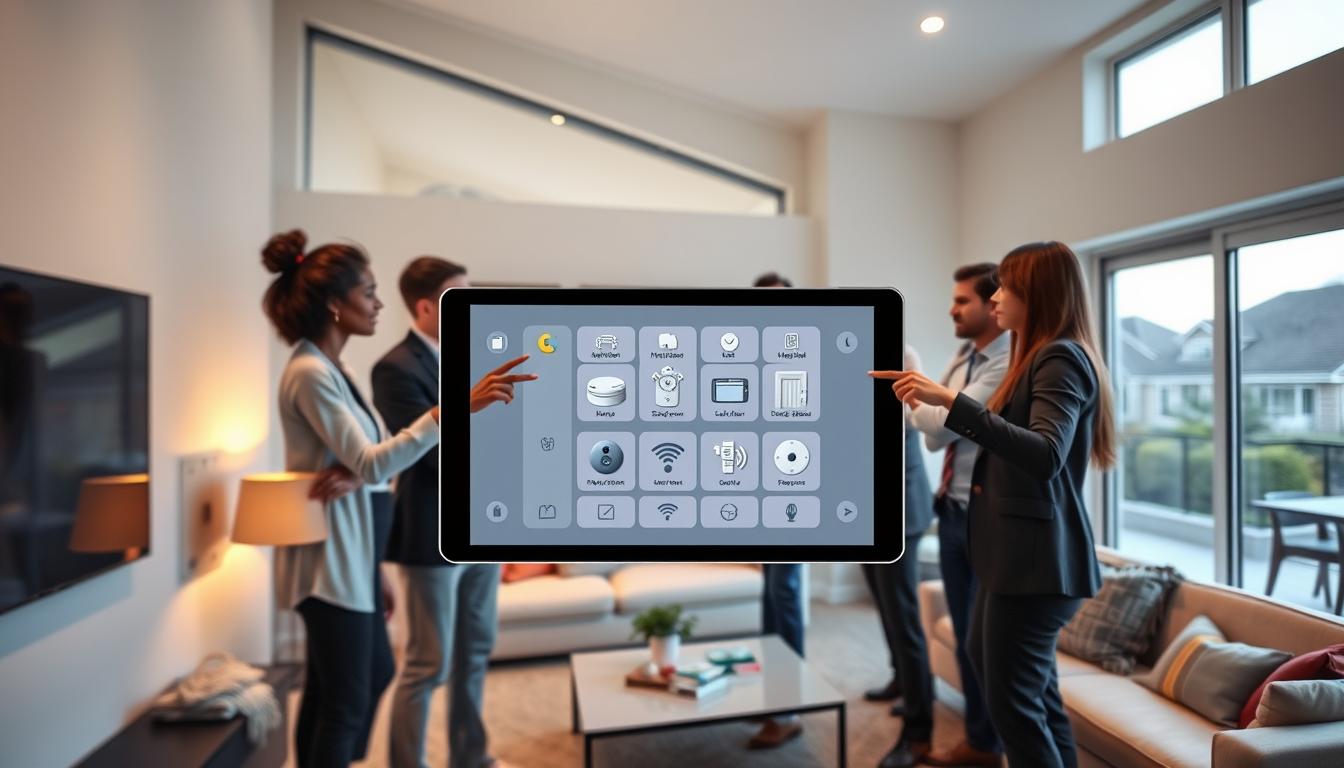
First, make a list of all smart devices in your home. Include cameras, smart speakers, door locks, health monitors, and hubs. Then, decide which ones you really need and which ones might be too risky.
Think about how each device handles data. Ask if camera footage is stored locally or in the cloud. Also, consider if voice assistants always listen for commands. These questions help you balance privacy concerns with the benefits of smart home technology.
- Keep cameras local when possible to reduce exposure to smart home privacy risks.
- Disable always-on listening or limit it to specific rooms.
- Choose devices that offer clear privacy controls and good reputation, such as Nest, Ring, Philips, or Eero when appropriate.
Wi‑Fi also poses challenges. Public networks can lead to spoofing, man-in-the-middle attacks, eavesdropping, and rogue access points. These threats increase the risk of remote access and caregiver logins without proper protection.
When accessing devices remotely, use a VPN and avoid public Wi‑Fi for sensitive tasks. Teach caregivers to do the same.
Take steps that fit a senior’s lifestyle. Turn off unused features. Disable automatic data collection and voice history where possible. Prefer local storage over cloud backups.
- Audit app permissions and remove access for apps that don’t need it.
- Set strong, unique passwords and enable two-factor authentication on accounts that support it.
- Schedule regular checks of privacy settings for smart devices and review them after firmware updates.
Make privacy a household habit. Educate family members and caregivers about data handling and the specific privacy settings for your smart devices. Clear rules help avoid mistakes and lower long-term smart home privacy risks.
Evaluating the Home’s Exterior Security

First, check your outdoor cameras and video doorbells from brands like Ring, Arlo, and Wyze. Make sure each device has the latest software and that you’ve changed the default password. Devices that upload to the cloud can be vulnerable, so keep them updated.
Look at where your cameras are pointing. Make sure they cover your property but not your neighbors’ or public areas. This way, you avoid recording people by mistake and reduce privacy issues. Also, turn off features you don’t need, like constant cloud uploads, to reduce data sent to servers.
- Isolate exterior IoT devices on a guest or dedicated IoT network.
- Set up router rules to block lateral movement between that network and personal devices.
- When possible, use a separate internet connection for high-risk outdoor gear to reinforce home automation security.
Segmenting traffic helps prevent a hacked smart plug from reaching your personal devices. Use strong WPA3 encryption and unique passwords for your network. Also, disable UPnP on your router unless an app really needs it and you trust it.
Choose devices that support end-to-end encryption or local storage. Recording video locally keeps it under your control and reduces cloud reliance. Be careful with features like third-party analytics, making sure you understand how your data is used.
Secure your network hardware by keeping routers and switches in locked areas. Limit access to Ethernet ports and label cables to spot any unauthorized changes. Do a quarterly check of your exterior devices to ensure they’re secure and set up right.
When checking your exterior security, find a balance between ease and safety. Simple steps can boost your home’s security and privacy, keeping your smart devices safe and secure.
Upgrading Home Surveillance Options
Video doorbells and indoor cameras can be hacked if not updated. Hackers use known bugs to see live feeds or get old clips. To avoid this, turn on automatic updates. This might reboot your devices sometimes.
If you don’t like automatic updates, update them yourself. Follow guides from Amazon, Arlo, Google, Ring, or Wyze. This keeps your devices secure.
Streaming cameras over open Wi-Fi networks are risky. Use WPA3 on your router if you can. Also, put camera traffic on a guest or IoT VLAN.
Choose cameras that support end-to-end encryption. This keeps video encrypted from start to finish.
Cloud storage without strong protection can leak your footage. Prefer devices with local storage or E2EE. Avoid systems that only use weak cloud backups.
Check the encryption standards before buying. This ensures your data is safe.
Use this checklist to boost your home surveillance:
- Select cameras with local storage or end-to-end encryption.
- Change default passwords on every device and on your router.
- Enable two-factor authentication for camera accounts and apps.
- Review and limit app permissions on phones and tablets.
- Disable features you don’t need, like continuous voice or video collection.
- Monitor device activity logs and set alerts for new sign-ins.
- Audit who has account access and remove stale or unknown users.
Focus on keeping your smart home data safe. Small changes, like updating firmware and setting permissions, add up. Regularly check your devices and accounts to protect your privacy.
Enhancing Interior Security Features
Every device can be a way in for hackers. Even a simple smart plug can open doors to your entire system. Make sure each device has a unique password and update its software regularly.
Not all devices need to be controlled remotely. Limiting remote access reduces your risk. This makes it easier to keep your smart home safe.
Keep your interior devices on a separate network from your computers and phones. This way, even if a camera is hacked, your sensitive files are safe.
Use your router to protect your network. Set up firewall rules and guest networks. Also, consider a system to detect and block unauthorized access.
- Enable multi-factor authentication on device accounts to block unauthorized logins.
- Review privacy settings for smart devices in their apps and limit data sharing to what is essential.
- Prefer reputable brands like Google Nest, Amazon Ring, or ecobee that publish clear data policies and timely updates.
Choose hubs that control everything and share less data. If devices store sensitive info, disable cloud backups. Use local or encrypted storage instead.
Keep a checklist of security steps: unique passwords, MFA enabled, privacy settings reviewed, software updated, and network segmented. Following these steps will make your home safer and keep your smart devices secure.
Evaluating Smart Home Technology
First, check how often a vendor updates their firmware. See if devices can update themselves. Make sure to register each device with the maker to get important updates. Also, replace old routers and devices that can’t handle today’s security.
Look for devices that support WPA3 and the latest Wi-Fi standards like Wi-Fi 6 or Wi-Fi 7. Use a VPN for safe remote access and install a firewall. Think about getting network tools that can detect or prevent intrusions to boost your home’s security.
Always keep your software and operating systems current. Updates help protect against vulnerabilities and enhance your smart home’s security.
Opt for devices that keep data locally and offer end-to-end encryption. Read the privacy policies to understand what data is collected, how long it’s kept, and if it’s shared. Reducing telemetry and turning off unused features can also help with privacy.
Use a central smart hub to manage permissions and check device behavior. A single hub makes it easier to maintain privacy and review your smart home’s data protection.
- Verify vendor update cadence and auto-update settings.
- Choose WPA3-capable routers and Wi‑Fi 6/7 devices.
- Install VPNs, firewalls, and IDS/IPS for network defense.
- Prefer local storage, clear privacy policies, and encryption.
- Disable unnecessary telemetry and centralize control with a hub.
Importance of Lighting in Home Safety
Good lighting makes a home safer for seniors. It also helps security cameras and sensors work better. Cameras struggle in low light, missing events or causing false alerts.
Position lights to reduce glare on lenses. Aim cameras where light falls evenly.
Smart lighting is convenient but needs Wi‑Fi. Put these devices on a segmented IoT network. Secure it with strong passwords and WPA3 if your router supports it.
Take simple steps to lower smart home privacy risks. Use motion‑activated exterior lights to deter intruders. Disable remote controls you don’t use and update firmware on smart bulbs and switches regularly.
- Audit which apps and accounts control your lights and revoke excess permissions.
- Choose reputable brands like Philips Hue or Lutron. Avoid products with poor security records.
- Limit third‑party integrations that request broad access to other smart devices.
These measures improve safety inside and out. They cut down on unnecessary recordings and cloud storage. A well‑lit, properly segmented system reduces smart home privacy risks. It supports reliable home automation security without adding complexity.
Creating an Emergency Response Plan
Think of a hacked device as a real emergency. Hacked security cameras or voice assistants can do things like unlock doors or call people without permission. It’s important to have simple steps ready to quickly disconnect or isolate the affected device. This includes turning it off, unplugging it, or disabling its Wi-Fi.
Keep manual keys and backup controls for locks, garage openers, and alarm panels where you can easily find them. This way, you can quickly take action if needed.
Make a plan for how you will communicate in an emergency. Avoid using public Wi-Fi for important talks. Instead, use a trusted cellular line or a VPN. Change your router’s admin and Wi-Fi passwords right away if you suspect a breach.
Also, make sure devices that control safety are on a separate network from entertainment or guest devices. This helps keep your home network safe.
Write down a checklist of steps to follow during an emergency. Learn to spot unauthorized access by watching for unusual device activity or app alerts. Know when to contact manufacturers like Ring, Google Nest, or Honeywell, and when to call your ISP for help.
- Recognize signs: unusual camera movement, strange voice responses, or unapproved app notifications.
- Isolate devices: unplug, power off, or turn off Wi-Fi for the affected unit.
- Secure accounts: change passwords, enable MFA, and log out active sessions.
- Contact vendors and ISP for support and next steps.
- Restore systems from local backups and re-establish segmented networks.
Practice drills with seniors and caregivers regularly. Short exercises can help you learn how to disconnect devices and recover accounts. This practice builds confidence and reduces panic during real emergencies.
Protecting personal data is key for safety and peace of mind. Include steps for data protection in smart homes when you restore devices. Remove unnecessary stored credentials. Treat personal information in IoT devices as sensitive. Remove voice recordings and clear logs when possible.
Keep a written inventory of device accounts, serial numbers, and vendor support lines. This makes it easy to find the information you need quickly.
Involving Family and Caregivers in Security Assessment
Start by talking to family and caregivers about smart device privacy. Discuss how these settings impact your daily life. Decide together what privacy trade-offs you’re okay with.
Make sure to register your devices with companies like Amazon and Google. This way, you get updates and support easily.
Teach your team about Wi-Fi dangers. Explain spoofing and other threats in simple terms. Show them how to use strong passwords and stay safe online.
Plan regular checks on your connected devices. Use tools to find and handle any unknown devices. This makes keeping your smart home safe a team effort.
Set up clear rules for who can access your accounts. Give each person their own login when you can. Remove old accounts and check app permissions often.
Use a home hub or a caregiver account for management. This keeps things organized and controlled.
Give everyone the contact info for vendor support. Make updates and security checks a regular part of your routine. This way, you all stay safe and respect privacy.
Final Thoughts on Home Security Evaluation
You don’t have to give up smart tech to keep a senior’s home safe. Smart devices can be very helpful if you manage privacy risks well. Make sure to update device software, secure your Wi-Fi, and find a balance between privacy and daily convenience.
Replace old routers with newer ones, like Wi-Fi 6 or Wi-Fi 7, for better performance. Use separate networks for IoT devices and turn on strong encryption. These steps help protect your home from common threats.
Use a VPN when you access your home online, install firewalls, and think about WIDS/WIPS for network monitoring. Teach everyone in the house about basic cybersecurity to avoid mistakes. Check device permissions often and disable features you don’t need to improve data protection.
Pick devices that focus on privacy, like those with local storage or end-to-end encryption. Set up a schedule for updates, password changes, and network checks. Stay updated on new threats and vendor updates to keep your home safe and secure.