Keeping your smart home and devices working well needs a simple battery schedule. This guide explains why checking batteries regularly is key. It shows how a routine helps avoid sudden failures.
Replacing sensor batteries on a set schedule cuts down on downtime. This is true for security sensors, thermostats, and other smart devices.
Batteries get weaker over time due to chemical aging. This can slow down or even shut down your devices without warning. Regular checks can spot problems like swelling or leakage early on.
Knowing when to replace batteries is important. Smartphones might need new batteries every 2–3 years. But many sensors can go longer on coin cells. A good plan is essential.
In this article, you’ll learn which devices need battery changes and when. You’ll also find out about battery types, tools needed, and how to replace batteries in common sensors.
By the end, you’ll have a simple plan for battery replacements. You’ll know when to do it yourself and when to call a pro. Use this guide to keep your smart devices running smoothly.
Understanding the Importance of Battery Maintenance
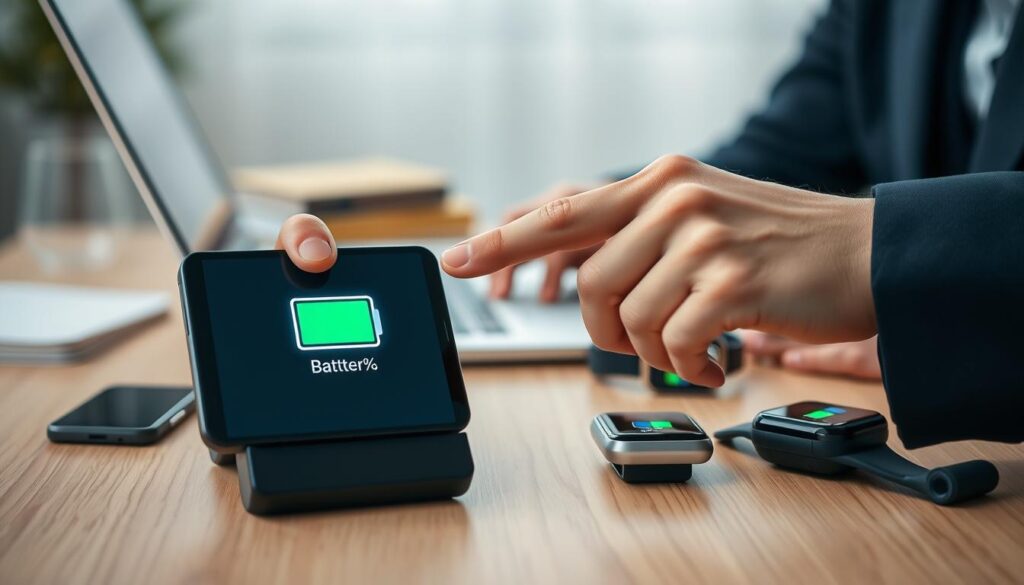
Your smart sensors and devices need batteries to work. These batteries power motion detectors, door sensors, thermostats, and cameras. When the battery runs low, you might see slower responses, delays, or outdated app statuses.
Poor battery life can make your home network unreliable. It can lead to missed alerts and frustrating delays.
Look out for signs that your battery is failing. You might notice batteries charge less often or not at all. Devices might get hot while charging, or you might see swelling or leakage.
Swollen batteries are dangerous and can cause fires. They need to be replaced right away.
Failing batteries can also damage your devices. They can corrode contacts and shorten the device’s life. Regular maintenance and timely battery replacements can prevent this.
You can do simple tests to check your battery. But, replacing batteries yourself can be risky, like with phones or sealed gadgets. Improper handling can damage screens or connectors.
For complex replacements, it’s best to get help from experts. The Apple Store, Best Buy, or uBreakiFix can do it safely and correctly.
Use this guide to keep your sensors running well. Watch for performance issues, learn about device signs, and decide if you can replace batteries yourself. If not, get professional help. This way, you keep your smart home safe and efficient.
Identifying Smart Devices Requiring Battery Replacement
You probably have many devices that need new batteries. These include door and window sensors, motion sensors, and leak detectors. Also, smart locks, wireless cameras, remotes, key fobs, and some smart thermostats. Sensors like door/window, motion, and leak are key for safety and system reliability.
Look for signs that a battery is running low. Smart locks might be slow or not work. Motion sensors could miss signals or show odd activity. Security hubs and apps will alert you to low batteries.
Smoke and CO detectors will chirp to signal battery needs. Phones and tablets show signs of battery issues too. If your phone can’t hold a charge, shuts down, runs slow, or gets hot, it might need a battery check.
Use tools built into your devices to monitor battery health. Many smart devices show battery percentage, life, or health status. This helps you replace batteries before they fail during critical times.
- Check app alerts and device logs for low-battery notifications.
- Inspect sensors monthly if they are part of a security or life-safety system.
- Keep a small stock of common sizes like CR2032 and AA for quick replacing sensor batteries.
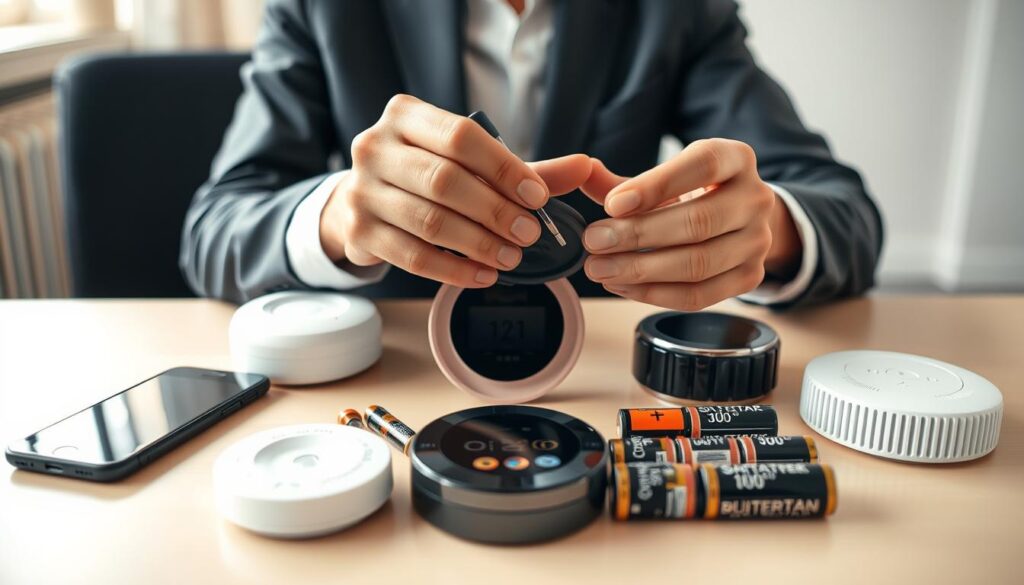
If you like doing things yourself, learn to safely replace sensor batteries. For devices like smoke detectors, always follow the manufacturer’s instructions for battery replacement.
Recommended Battery Replacement Schedule
Start with a simple routine. Check all devices visually and review app alerts monthly. This helps you spot battery life drops early.
Every three months, do a detailed check. Use a multimeter or app diagnostics to test batteries. Also, manually test sensors with inconsistent readings.
Once a year, do a full audit of your smart devices. Note battery type, install date, and capacity for each. This helps plan replacements on a schedule.
- Smoke and CO detectors: replace batteries annually or follow the manufacturer’s guidance from Nest, Kidde, or Honeywell.
- Door, window, and motion sensors: expect 1–2 years depending on use and battery chemistry.
- Smart locks and wireless cameras: replacement intervals can range from 6 to 24 months based on power draw and whether you use rechargeable packs or standard cells.
Set up action triggers for quick replacements. Replace if a device shows rapid drain, overheating, swelling, failed charging, or battery health drops below 80%—as Apple and Samsung suggest.
For phones or devices with non-user-serviceable batteries, choose professional replacement. If you see swelling or leakage, take it to certified techs at the Apple Store, Best Buy Geek Squad, or uBreakiFix instead of trying DIY fixes.
Plan replacements every 1–3 years as a general rule. Adjust the interval based on device type, usage, and battery chemistry. This maximizes uptime and extends battery life.
Types of Batteries Used in Smart Devices
Smart devices use many types of batteries. Knowing these can help you choose the right one for your needs.
- Coin cells: Lithium coin cells like CR2032 and similar sizes power small contact sensors, key fobs, and compact motion sensors.
- CR123A: These lithium cells suit higher-drain devices such as security cameras and some flash units.
- AA and AAA: Alkaline or lithium AA/AAA cells appear in thermostats, larger sensors, and many remotes.
- Rechargeable lithium-ion: Internal or external li-ion packs run phones, smart speakers, and advanced cameras.
- Specialty rechargeables: Types like LIR2032 are rechargeable coin cells used in devices designed for periodic charging.
Before replacing sensor batteries, check the device label or manual. It will tell you the exact size and chemistry needed. Using the right type prevents damage and ensures the device works well.
Lithium non-rechargeable cells last long and have steady voltage, perfect for low-drain sensors. Alkaline cells are cheaper but lose power faster in high-drain devices. Rechargeable li-ion is great for devices used often, but many phone packs are sealed and can’t be replaced by users.
When picking batteries for sensors, choose the type your device needs. For small sensors, CR2032 or similar lithium coin cells are often the best. They last a long time.
Safety and compatibility are key. Never mix different types of batteries in one device. The wrong chemistry can cause problems or be dangerous. For sealed devices like phones, always follow the manufacturer’s instructions and seek professional help if needed.
Keep this guide handy when buying or storing spare batteries. Knowing about different battery types helps you pick durable replacements. This keeps your smart devices working well.
Tools Needed for Battery Replacement
Before starting your DIY sensor battery replacement, prepare a compact toolkit. You’ll need small flat and Phillips screwdrivers, a precision screwdriver set, and plastic pry tools or spudgers. Also, have needle-nose tweezers ready. Don’t forget a lint-free cloth and isopropyl alcohol for cleaning contacts after removing the old cell.
Make sure to get the correct new batteries that match the device maker’s specifications. The wrong size or chemistry can damage contacts or cause malfunctions. Always check the battery type and brand against the manufacturer’s guidance to avoid voiding warranties.
- Small flat and Phillips screwdrivers
- Precision screwdriver set
- Plastic pry tools or spudgers
- Needle-nose tweezers
- Lint-free cloth and isopropyl alcohol
- Gloves and eye protection for swollen cells
For phone or sealed-device swaps, you’ll need specialized kits. For iPhones, you might need tri-point or pentalobe drivers, adhesive removal tools, and a heat source to soften glue. An anti-static mat and wrist strap can also help protect sensitive electronics. These jobs are riskier, so you might want to get professional help from Apple Store, Best Buy, or uBreakiFix.
Always follow basic safety rules. Turn off devices before starting. Avoid shorting battery terminals. If a battery is swollen or leaking, don’t puncture it. Instead, put it in a non-conductive container and follow local hazardous-waste guidelines or contact a certified technician for handling.
- Confirm tool and part compatibility with the device manual.
- Work on a clear, well-lit surface and keep small screws organized.
- Use eye protection and gloves when handling damaged cells.
- Test the device after replacement and monitor for unusual heat or behavior.
Knowing how to change sensor batteries and the proper steps to replace them helps you do swaps confidently. If you’re unsure, it’s best to seek professional service. This protects your device and maintains any remaining warranty coverage.
How to Properly Replace Sensor Batteries
First, check your device app or the device label for the battery type needed. Make sure you know the battery size and chemistry. This ensures you buy the correct replacement before starting.
Turn off or disconnect the device when necessary. For alarm sensors, disarm the panel to prevent false alarms. For smart locks and cameras, remember any pairing and firmware steps in case of power loss.
- Gather the right tool: small screwdriver, pry tool, or the snap-open case specified by the manufacturer.
- Open the compartment carefully. Note battery orientation and polarity before removing the old cell.
- Remove the old battery gently. Wear gloves if the cell is swollen or leaking and dispose of it properly.
- Clean contacts with isopropyl alcohol and a lint-free cloth if you see corrosion or residue.
- Insert the correct new battery, matching polarity and avoiding mixing old and new cells.
- Reassemble the device and perform a local test or use the app to verify operation.
Use the steps to replace sensor batteries as a checklist when you service multiple sensors. Keep replacements on hand for Yale, August, Ring, and similar brands to avoid downtime.
Be cautious with smoke and CO detectors. Follow manufacturer guidance because some units require full replacement or specific battery types at set intervals. If a device is sealed or glued shut, avoid DIY sensor battery replacement unless you have the correct repair guide and tools. For phones or sealed smart devices, seek professional help at an Apple Store, Best Buy, or uBreakiFix to prevent damage or voided warranties.
After replacing the cell, check battery-health or status screens where available. On Android, review Settings > Battery. On Samsung, use Diagnostics > Battery Status. Confirm the sensor reports normal capacity and connectivity.
When you follow these clear steps to replace sensor batteries and learn how to change sensor batteries safely, you reduce service calls and keep your smart home running smoothly.
Best Practices for Extending Battery Life
There are simple ways to make your sensor batteries last longer. Start by limiting what your apps do in the background. Adjust app permissions and use your device’s battery settings. On Android, go to Settings > Apps > See all apps > App battery usage > Restrict. Samsung users can use Settings > Battery and Device Care > Background usage limits.
Get rid of apps you don’t use. Uninstall or restrict apps that use power when not in use. This reduces idle drain and helps batteries last longer.
Place motion sensors wisely and adjust how often they send updates. Keep them away from vents and busy areas to avoid constant triggering. Also, reduce how often they send updates to save energy.
- Use the right cells and brands for your sensors. For small sensors, lithium coin cells usually last longer than alkaline ones.
- Choose battery chemistry that fits your device’s needs. This is important when picking the best batteries for sensors.
- Make sure the battery types your manufacturer lists match what you buy.
Keep your firmware up to date. Updates often bring power-saving improvements that don’t require new hardware.
If you have rechargeable packs, charge them correctly. Avoid extreme temperatures and full-discharge cycles to slow down chemical aging. This helps keep battery capacity high over time.
On smartphones used as hubs or controllers, watch battery health. When health falls below 80 percent, battery life will decrease. Try to avoid overheating and frequent full charges to slow down capacity loss.
- Set reminders for regular battery checks based on your replacement schedule.
- Keep track of battery changes to spot patterns and make proactive replacements.
- Always have the recommended brands on hand for the best batteries for sensors.
By following these steps, you can reduce unexpected failures and extend the time between replacements. Regular checks, proper placement, and the right battery choices are key to better sensor battery life.
Environmental Considerations for Battery Disposal
Batteries can harm the environment if thrown away carelessly. They contain harmful materials that can pollute soil, water, and harm wildlife. Coin cells and lithium batteries, found in sensors, should never be thrown away in regular trash.
Swollen or leaking batteries are even more dangerous. They need to be handled with extra care.
When you replace sensor batteries, make sure to follow local rules. Use approved collection points for disposal. Many cities have programs for hazardous waste, including household batteries.
Stores like Best Buy and electronics repair shops also accept used batteries for recycling. This helps to recycle valuable materials and prevent pollution.
You can also use national programs like Call2Recycle. Local electronic-waste events are another option. These help keep harmful substances out of the environment.
When taking batteries to drop-off sites, pack them safely. Use tape to cover the terminals of lithium cells. Place each battery in its own plastic bag to avoid short circuits.
For swollen or leaking batteries, store them in non-conductive containers. If you’re unsure, contact your local hazardous waste handler for advice.
- Check municipal hazardous-waste schedules for pickup or drop-off days.
- Use retail take-back points at electronics stores and repair shops.
- Choose specialized recycling services to support material recovery.
For those who replace batteries often, keep a dedicated container. Also, have a local contact for hazardous waste disposal. This keeps your workspace safe and follows regulations.
By following these steps, you help protect public health. You also support environmental efforts in your community.
Additional Resources for Battery Maintenance
Check manufacturer support pages and user manuals for specific steps and part numbers. Apple, Samsung, Nest, and Ring provide clear guides for safe replacement. These guides help you replace sensor batteries for each model.
Visit iFixit for detailed repair guides. iFixit offers photos, tool lists, and difficulty ratings. This helps you decide if you can do the job yourself or need professional help.
- Manufacturer support pages and manuals
- iFixit repair guides and illustrated walk-throughs
- Device-specific forums and communities for practical tips
Think about professional repair services for certified work or warranty protection. Apple Store battery service lists prices, like $99 for many iPhones. Best Buy Geek Squad offers Samsung phone services for $70–$80 for models like the Galaxy S9 through S23 Ultra.
National chains like uBreakiFix provide quick, certified repairs. Use these services for warranty-safe service instead of DIY replacement.
- Apple Store battery service for iPhone models
- Best Buy Geek Squad for select Samsung devices
- uBreakiFix and other certified national repair centers
Use built-in diagnostics on Android and Samsung devices to track battery health. Third-party apps report capacity, cycle count, and usage patterns. These tools help you know when to replace batteries.
Buy parts from authorized suppliers or reputable brands. Choose trusted names like Energizer, Panasonic, and Duracell for coin cells and packs. Avoid cheap, unknown brands for critical sensors.
- Authorized replacement parts from manufacturers
- Reputable battery brands for coin cells and packs
- Avoid low-cost unknown manufacturers for important sensors
If unsure, use manufacturer or certified services for safety and warranty. This approach keeps your devices safe and reduces damage risk compared to DIY attempts.
For the best batteries for sensors, check product manuals and community feedback. Use official instructions, reliable parts, and monitoring tools for a practical guide.
Frequently Asked Questions about Battery Replacement
How often should you replace sensor batteries? Check your device’s manual for guidance. Batteries usually need to be replaced every six months to three years. To keep track, do monthly checks, quarterly tests, and an annual review.
Can you replace phone batteries yourself? Sometimes, but it’s risky. You might damage your screen or battery. If you try it, use the latest repair guides and tools. Most people prefer getting help from experts at Apple Stores, Best Buy, or uBreakiFix.
What are the signs of a failing battery? Watch for fast battery loss, slow charging, overheating, swelling, and sudden shutdowns. Spotting these signs early helps avoid losing data and damaging your device.
When should you get professional help? If your battery is swollen or leaking, or if your device is sealed and can’t be opened. Also, if you don’t have the right tools or experience. Experts can fix your device safely and avoid further damage.
Is 80% battery health a good time to replace it? Yes. Apple and Samsung say around 80% is when your battery starts to slow down. At this point, it’s usually time to get a new one.
- For sensors: set reminders for replacing sensor batteries as part of routine checks.
- If you want to learn how to change sensor batteries safely, follow device manuals and the steps to replace sensor batteries in sequence.
- Keep a small kit of screwdrivers, replacement cells, and gloves to make replacing sensor batteries easier when you need to act quickly.
Staying Updated on Battery Technologies
Keep an eye on new developments in sensor battery tech. Small improvements in chemistry and energy density can extend device life. This means your thermostat or door sensor might last longer before needing a battery swap.
Subscribe to newsletters from manufacturers and follow tech sites like iFixit. Also, watch for firmware updates that help devices use less power. These updates can tell you when to replace sensor batteries and what types to use.
As battery tech gets better, we’ll see batteries that last longer and some that don’t need to be replaced. For everyday devices, adjust your maintenance based on how they’re doing and battery health reports. But for safety sensors, stick to the usual replacement schedule until new methods are proven.
Check your replacement schedule often and update it based on device alerts and battery health. Keeping a log of battery life for each device helps you make smart choices about battery tech and replacement.