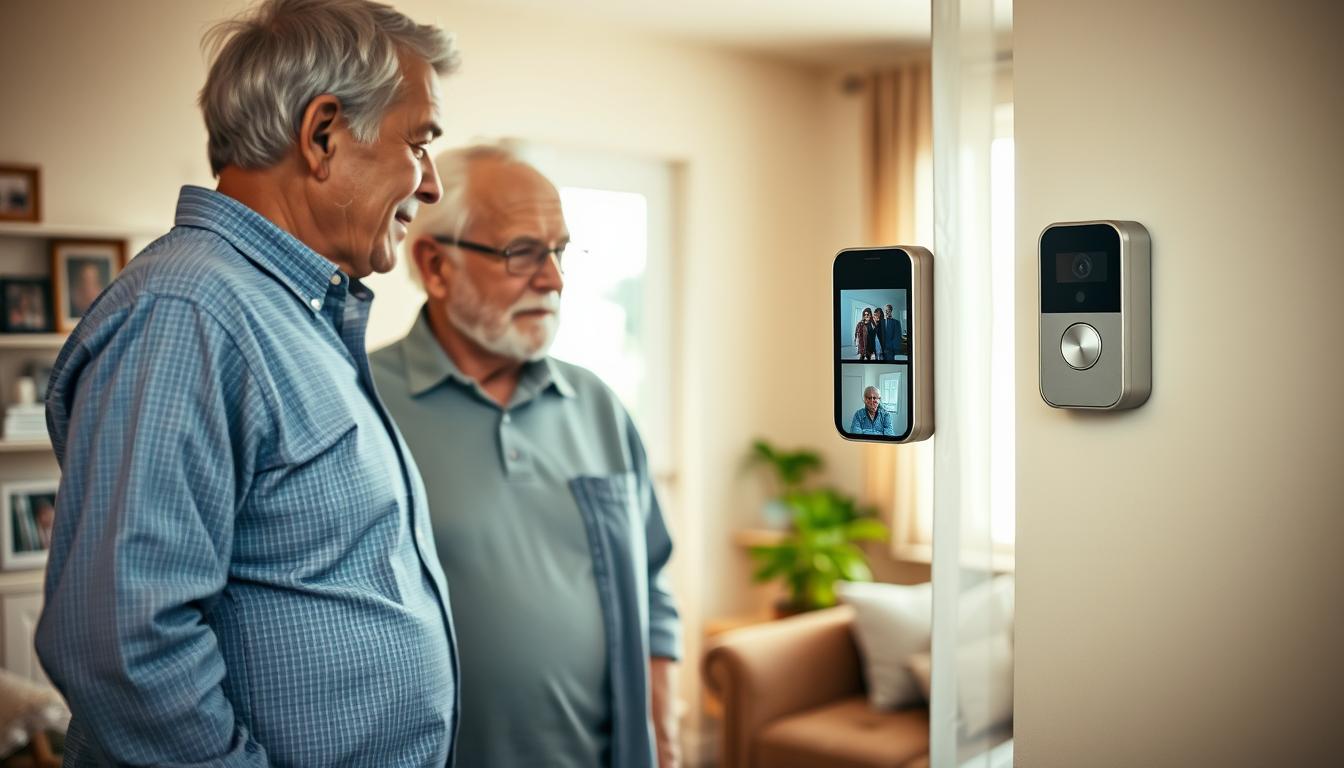
Keeping older adults safe at home is a top priority. Video doorbells and senior-friendly cameras offer a big advantage. They let you see and verify visitors before opening the door.
Video entry systems fight scammers by adding real-time visuals. Just like Veriff and Video KYC, they use facial checks to prevent fraud. A door camera confirms if someone is really a delivery person or utility worker.
Geo-tagged timestamps and clear video make it tough for impostors. They can’t easily fake their identity or rush a senior into letting them in.
Modern AI-camera features also alert you to odd activity. They can send messages to your phone or an emergency contact. This quickens your response and creates records for authorities if needed.
Yet, video isn’t a complete solution. Deepfakes and replay attacks keep evolving. So, consider video doorbells as just one part of a bigger safety plan. In the next sections, we’ll explore how these devices work, why seniors are targeted, and how to pick and install the right one. We’ll also discuss balancing security with privacy.
Understanding Video Doorbells and Their Benefits
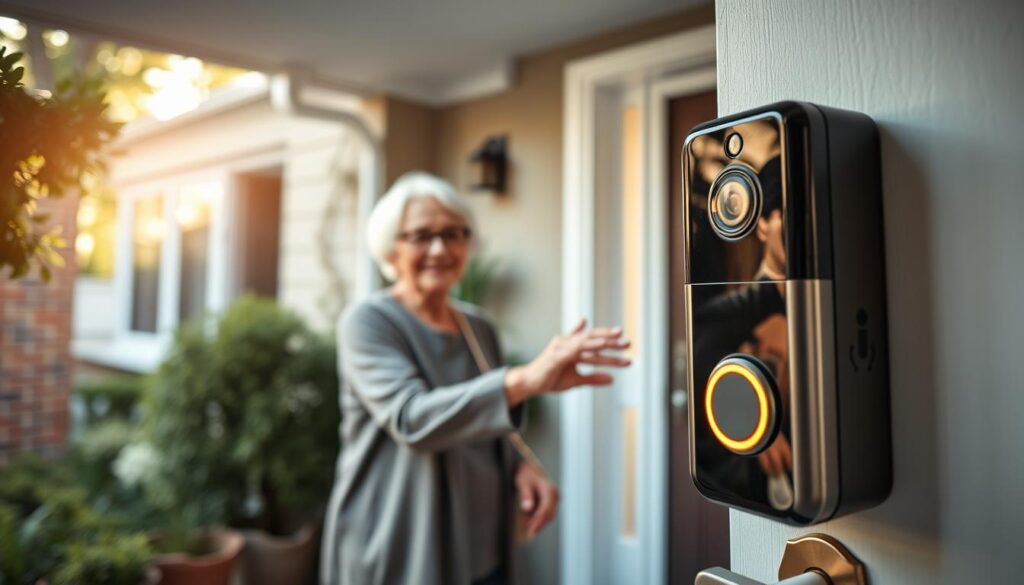
Video doorbells are devices that have a camera, microphone, speaker, motion sensors, and a bell. They let you see live video, talk to visitors, and save clips for later. You can watch these on your phone, tablet, or a special hub.
For seniors, they offer safety and ease. A visible camera can scare off scammers. You can also share recordings with the police or service providers if needed.
Modern systems use AI to spot fraud better. They analyze video to understand who’s at the door and their behavior. You can control smart locks and alarms from one app. And, you get alerts in real-time, so you don’t have to watch the feed all the time.
When picking a video doorbell for seniors, look for simple designs. Choose ones with big buttons, clear alerts, and voice assistant support. This makes using the doorbell easy for older adults.
Practical features are key. Find a doorbell that’s easy to use, with one-tap answers and adjustable motion zones. These features help older adults communicate with family or caregivers easily.
- Deterrence: visible camera discourages scammers at the doorstep.
- Evidence: time-stamped clips support reports and investigations.
- Verification: remote checks for deliveries and service personnel.
- Integration: works with locks, alarms, and voice assistants.
- Usability: interfaces built for older users speed adoption.
Video doorbells are great for keeping safe and solving problems. They help you handle unexpected visitors and support investigations with recorded footage.
Why Seniors Are Targeted by Scammers
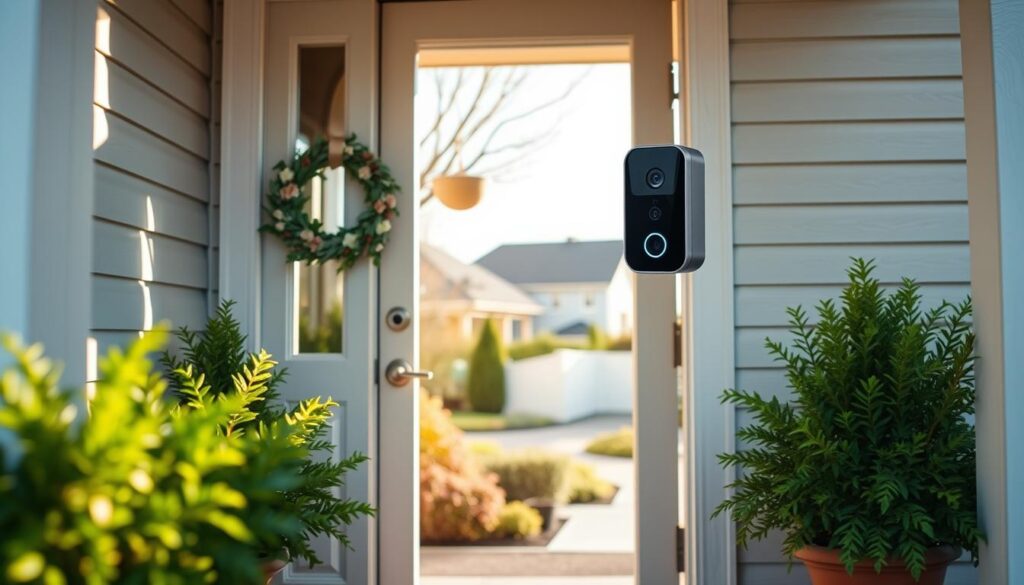
Seniors face unique risks that make them targets. Social isolation means fewer people to ask for help. Vision and hearing loss can make spotting scams harder.
Older adults often trust authority figures too much. This trust can lead to scams. Scammers use scripts and pressure to take advantage of this.
Scams often involve fake stories and tricks. Scammers might pretend to be utility workers or government officials. They might ask to check your pipes or deliver packages.
Scammers use fake IDs and online tricks. They might use deepfakes or fake IDs to deceive. A doorbell camera can show more, like if someone else is involved.
Video doorbells help verify identities. They let you check IDs and talk to family members. This makes it easier to spot scams.
Scams can lead to big problems. They can cause financial loss and identity theft. Visible cameras and verification can help prevent this.
Protect yourself by being cautious. Use a peephole or video feed to check visitors. Always verify credentials by calling trusted numbers.
Keep emergency contacts and trusted numbers handy. Teach neighbors and caregivers to watch for scams. With the right tools and caution, you can stay safe.
How Video Doorbells Work
A video doorbell has key parts. A lens and image sensor capture what’s happening. A microphone and speaker let you talk to visitors.
Motion sensors, like PIR, turn on the camera when something moves. Power comes from a wire or a rechargeable battery. Storage is on a microSD card or in the cloud.
You control settings through a mobile app or a wall console. Modern models use AI and video analysis to cut down on false alarms. They can tell the difference between a person and a package.
Real-time alerts notify your phone when something happens. Some systems have facial recognition and liveness checks for trusted contacts. These features help you pick the right video doorbell for seniors.
Data moves from the device to the cloud securely. Algorithms filter footage before sending alerts. Footage in the cloud is usually encrypted to keep it safe.
Integration lets your doorbell work with Amazon Alexa, Google Home, and monitoring services. You can link it to smart locks or alarm systems. This makes it easier to let in trusted service providers while keeping strangers out.
Consider limitations and failure modes when choosing a video doorbell for seniors. Animals, shadows, and weather can cause false positives. Replay attacks and manipulated video are also risks.
Keep firmware updated and use strong account authentication to protect recorded sessions. Pairing an easy-to-use video doorbell for older adults with clear settings and trusted contacts makes it more reliable and less stressful for you.
The Role of Video Doorbells in Home Safety
Your video doorbell does more than show who is at the door. It deters opportunistic criminals by making your entry visible and recorded. Visible cameras and signs alone make a thief think twice before approaching.
Recorded clips create an audit trail you can share with police. Firms such as Veriff and Video KYC use timestamped recordings for identity checks. For seniors, saved clips document scam attempts or suspicious visitors for later review.
You get real-time intervention when alerts arrive on your phone or a caregiver’s device. You can speak through the doorbell, ask the visitor to leave, lock smart deadbolts, or call 911. AI-camera insights, like person tracking and loitering alerts, warn you about repeated visits.
Integration with smart locks, security panels, and lighting boosts protection. Set lights to come on with motion, refuse entry remotely via a connected lock, or trigger an alarm on suspicious behavior. These layers mimic enterprise video-analysis practices for more reliable home security.
- Deterrence: visible cameras reduce doorstep crimes.
- Evidence: timestamped clips support reports to law enforcement.
- Intervention: two-way audio and smart locks allow immediate action.
- Monitoring: caregivers can check in without visiting in person.
When you compare senior living video doorbell choices, look for models with easy apps, reliable cloud storage, and caregiver sharing options. Those features make senior-friendly video doorbells practical for daily use.
Using video entry systems protect against scammers by recording attempts and letting you respond instantly. This technology gives you and your loved ones a clear view of who comes to the door, reducing risk and easing worry.
Choosing the Right Video Doorbell for Seniors
When looking for a device, start with ease of use. Look for models with simple apps, big icons, and clear alerts. You might also want a dedicated monitor. These features make it easier for seniors to use the best video doorbell.
Next, think about the power type. Battery doorbells are easy to install and work well for quick setups. Wired models offer steady power and continuous monitoring. Choose based on your needs for convenience and continuous operation.
Video quality and field of view are key. Look for 1080p or better and wide-angle lenses. This ensures faces are clear at the door. High resolution helps identify callers and reduces confusion during alerts.
Don’t overlook two-way audio and noise reduction. Clear speech is important for seniors with hearing issues. Brands like Ring, Google Nest, and Arlo offer strong audio processing. This makes it easier to hear and respond without strain.
- Motion detection: choose systems with adjustable zones to cut down on false alerts.
- Storage: prefer encrypted cloud options and consider local storage for privacy concerns.
- Assistive features: look for large-font alerts, loud chimes, and voice assistant integration for hands-free use.
Security is important. Pick doorbells with two-factor authentication and regular updates. Compare privacy policies and encryption from known brands to protect your data and family.
If you need help, consider third-party monitoring or professional installation. A technician can set up the best angles, adjust motion zones, and connect emergency contacts. This ensures the top video doorbell for seniors works well from the start.
Lastly, think about assistive tools. Choose devices that work with voice assistants and medical alert lists. These senior-friendly video doorbells become a safety hub for independent living.
Installation Tips for Seniors
First, check if your Wi-Fi is strong at the door. If not, get a Wi-Fi extender. Mount the doorbell 48–60 inches high to see faces clearly.
Choose between battery or wired models. Wired needs a compatible transformer. If it’s complex, get a licensed electrician to avoid risks.
- Place the chime or visual alert where you can reach it easily.
- Send notifications to your device and to a family member or caregiver for redundancy.
Pair the device with the app using simple steps. Make a strong password and use two-factor authentication. Turn on features like motion alerts and two-way audio.
Secure the device with tamper screws. Use anti-theft mounts if theft worries you. Make sure it’s weatherproof for your area.
Teach yourself or get help with printed instructions. Show how to view live feed, answer visitors, and save clips. This will make you feel confident using the senior citizen doorbell camera.
Look for senior living video doorbell choices that are simple and have clear audio. Choose models with big icons and easy menus to avoid getting confused.
- Test the system after install to confirm motion zones and notification settings work.
- Label basic controls and keep a one-page cheat sheet nearby.
- Schedule a follow-up check with a caregiver or technician if needed.
If setting up with your current security system or wiring is hard, think about getting a pro. A trained installer can make sure your easy-to-use video doorbell for older adults works right and safely.
Enhancing Your Video Doorbell’s Security Features
To make your video doorbells safer, start with account protection. Use strong, unique passwords and turn on two-factor authentication. Also, limit who can access your account and give caregivers limited access when possible.
Always update your doorbell’s firmware and app. These updates fix bugs and make video analysis better. Think of it like keeping your software up to date to fight new threats.
Choose a vendor that encrypts your data both in transit and at rest. Check their cloud privacy policies and how long they keep your data. You might also want to store footage locally on a microSD card for extra security.
Protect your doorbell from physical attacks. Use tamper detection, strong mounting, and alerts for when it goes offline or resets unexpectedly. This keeps your recordings safe from tampering.
- Be careful of AI misuse like deepfakes and replay attacks.
- Look for devices with liveness detection or extra identity checks.
- Choose services that block automated spoof attempts.
Connect your doorbell with smart locks and alarms for better protection. Set it to turn on lights or lock doors when it sees something odd. This is a smart way to fight fraud.
Keep backups and logs with secure timestamps. A clear history helps when you need to report to the police. It proves what happened and adds value to your security system.
Check your settings often and get help from family or trusted caregivers. Small steps can keep your doorbells safe and make the most of their features.
Addressing Privacy Concerns
First, set clear recording boundaries. Use privacy zones and customizable motion zones. This way, your camera won’t capture neighbors or public areas. It keeps your focus on your property.
Choose vendors that are open about what data they collect and how long they keep it. Look at brands like Ring and Arlo, which publish their policies. Make sure they don’t use your footage for AI training without your consent.
Encryption is key when setting up your elderly video doorbell options. Opt for end-to-end or strong cloud encryption. This ensures your data is safe from unauthorized access.
Be careful with shared access. Only give family members and caregivers the permissions they need. Explain who can see the footage and how it will be used to avoid privacy issues.
Local storage can protect your privacy. Many doorbell cameras support microSD or network-attached storage. This keeps your data on-site, reducing exposure to third parties.
If your cameras are near shared spaces, talk to your neighbors. Post signs if local laws require it. This shows you care about their privacy and are following the law.
Consider the balance between safety and data sharing. Cloud backups and alert services can help with fraud detection and emergencies. But, you need to trust the vendor. Always read privacy policies and opt out of data-sharing programs when you can.
By following these steps, you can protect seniors while respecting privacy. This approach keeps everyone safe and within legal and ethical limits.
Educating Seniors About Technology
Start with the basics. Teach how to answer the door remotely, use two-way audio, and review clips. Use simple language and short demos to make it easy.
Practice real situations. Role-play saying no to fake utility workers and check the company’s website. Also, practice speaking to visitors before opening the door.
Make a simple checklist. It should cover saving footage, muting notifications, and disabling features. Keep it by the door for easy access.
Ask family and caregivers to set up shared accounts. This way, someone always gets alerts. Make sure they know how to access footage and contact police if needed.
Schedule regular refresher sessions. Short, frequent practice boosts confidence more than long, rare lessons.
Talk about privacy concerns. Explain how recordings are stored and who can see them. Remind them that video doorbells add safety while personal judgment is key.
Guide users to manufacturer support like Ring, Google Nest, and Arlo. Also, suggest community tech-help programs at libraries or senior centers for hands-on help.
Use small drills like answering a mock delivery or saving a clip. These exercises help seniors use video doorbells in everyday life.
Focus on making the video doorbell easy for older adults to use. Clear steps, practice, and support make technology accessible and useful.
The Cost-Effectiveness of Video Doorbells
Costs include the device price, subscription fees, and installation. A Ring or Arlo doorbell is cheaper than a monthly care visit. Pick one that fits your budget and needs, like two-way talk and motion alerts.
Subscription plans offer cloud storage and advanced features. But, local storage is cheaper and keeps your privacy safe. Decide if cloud access is worth the monthly fee for you.
- Upfront device cost: budget and mid-range options are available.
- Subscription fees: optional for extended history and AI alerts.
- Installation: DIY cuts cost, professional install adds convenience.
- Recurring: possible Wi‑Fi upgrades or extenders.
Value comes from savings. A doorbell can prevent fraud and theft, saving money. It also cuts down on caregiver visits and might lower insurance costs.
Investing in a doorbell saves time and reduces incidents. Studies show AI cameras reduce labor. For seniors, it means less time spent on visitor checks.
There are ways to lower costs. Senior communities and local services might help with upgrades. Nonprofits and grants can also cover some costs. Check your local Area Agency on Aging for help.
- Start small: cover the main entrance first with the best video doorbell for elderly users.
- Compare models: balance features against subscription tiers to match your budget.
- Scale later: add additional cameras if needed for porches or garages.
Practical budgeting makes it easier to adopt a doorbell. Choose one reliable model, test cloud features, and expand if costs are okay. The right doorbell can be affordable and give you peace of mind.
When shopping, look for a doorbell that offers clear video, easy setup, and fair fees. This balance will ensure safety and affordability over time.
Real Life Testimonials and Case Studies
Here, you’ll see how video doorbells helped in real life. For example, a doorbell caught a delivery scammer who left when they saw the camera. The police were able to trace the package thanks to the video.
Another story involves contractors trying to pressure a resident. The resident used a two-way audio feature to say no while family watched from afar. This created a clear record for later talks with the service company.
Visible cameras also scared off suspicious visitors. In many cases, would-be intruders left when they saw the camera. This is similar to how AI cameras reduce theft in stores.
Caregivers found remote alerts very helpful. A daughter got notifications when a maintenance worker arrived. She then checked the live feed and guided her parent safely. This avoided any confrontations.
Technology helped verify identities too. Features like liveness cues and clear facial captures confirmed who was at the door. This helped in disputes with carriers and service vendors.
What can we learn from these stories?
- Place the camera to capture faces at door height.
- Use cloud backups to keep clips after an incident.
- Share alerts with many contacts to avoid missed messages.
Video doorbells for seniors are more than gadgets. They provide evidence, give caregivers a view, and let you say no to unwanted visitors. Think about how these doorbells can improve your safety when choosing a senior living video doorbell.
Conclusion: Empowering Seniors with Smart Technology
Video doorbells for seniors add a layer of protection. They keep scammers away, let you check who’s at the door, and create a record for police or caregivers. With features like motion alerts and two-way talk, they help seniors stay safe and independent.
First, think about what your loved one needs. Look for a video doorbell that’s easy to use, has clear audio, and works well with Wi-Fi. Compare options from brands like Ring, Google Nest, and Arlo. Check their privacy, updates, and subscription plans to choose the best one.
When setting it up, think about ease of use and safety. You might need an electrician for wiring or placement. Make sure your account is secure, test all features, and set up alerts for caregivers.
Remember, a video doorbell is just one part of a bigger safety plan. Teach your loved ones about scams, how to verify visitors, and the importance of community support. With the right technology and care, you can keep your loved ones safe while respecting their independence.